Nine players. One engine.
Tomato Player is an open-source web video player whose whole interface is a skin you can swap. Pick an edition: same film, same 5.8 KB core, a different player.
Cinema
- Package
@tomato-player/skin-cinema- Weight
- 3.6 KB gzip
- Accent
- #e8b04b
- For
- Trailers, film festivals, product launches and brand stories.
The collection
Each edition is a complete interface in its own package. Install one, theme it with tokens, or replace it with your own.
- 01
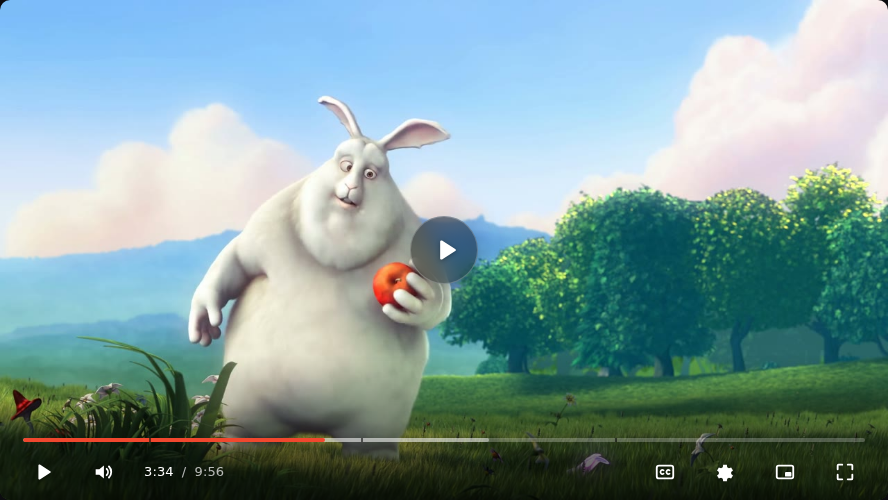 MinimalClean, lightweight controls. The default skin.
- 02
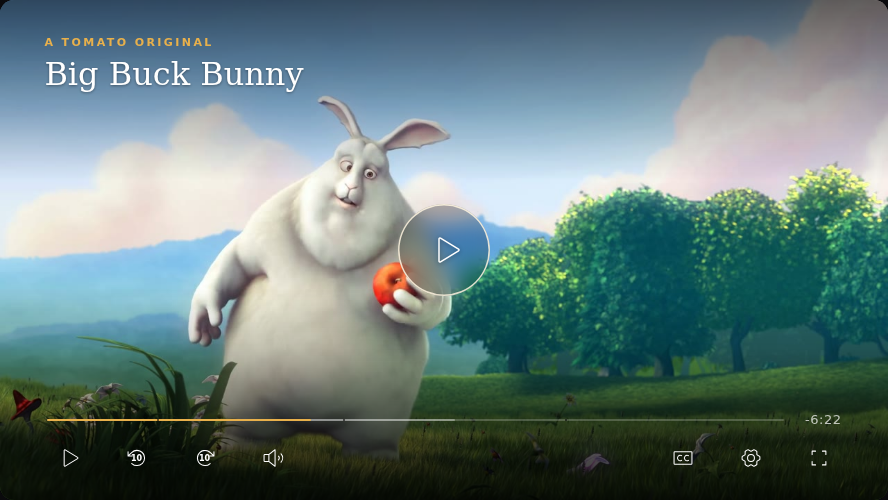 CinemaPremium cinematic look with a serif title, eyebrow and gold accent.
- 03
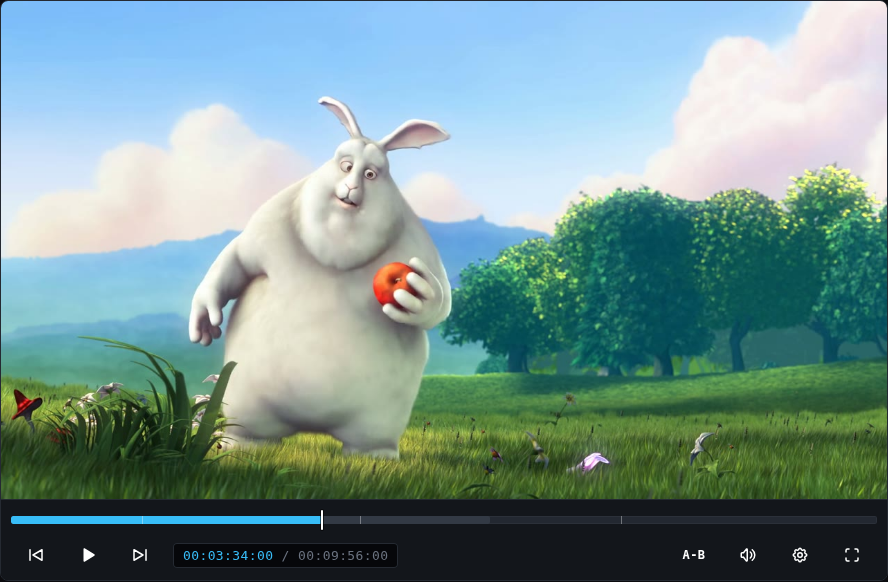 StudioPro toolbar with SMPTE timecode, frame stepping and A-B loop.
- 04
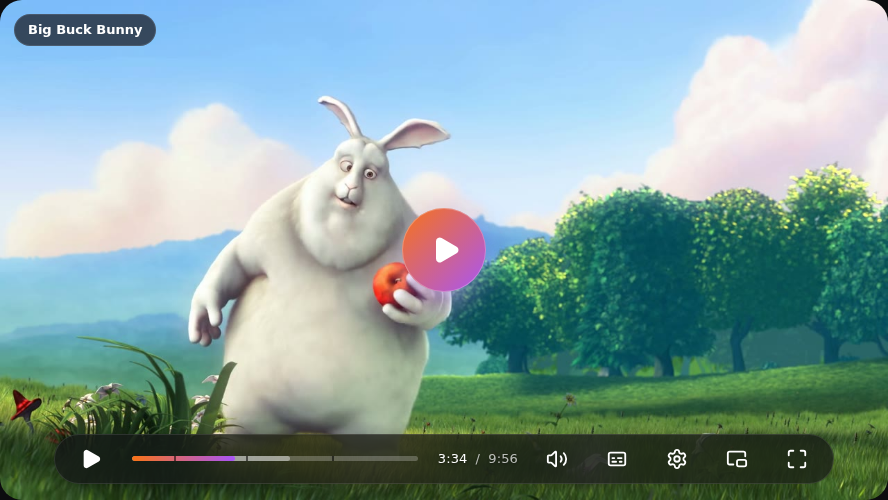 CreatorFloating glass pill controls with a vivid two-stop gradient.
- 05
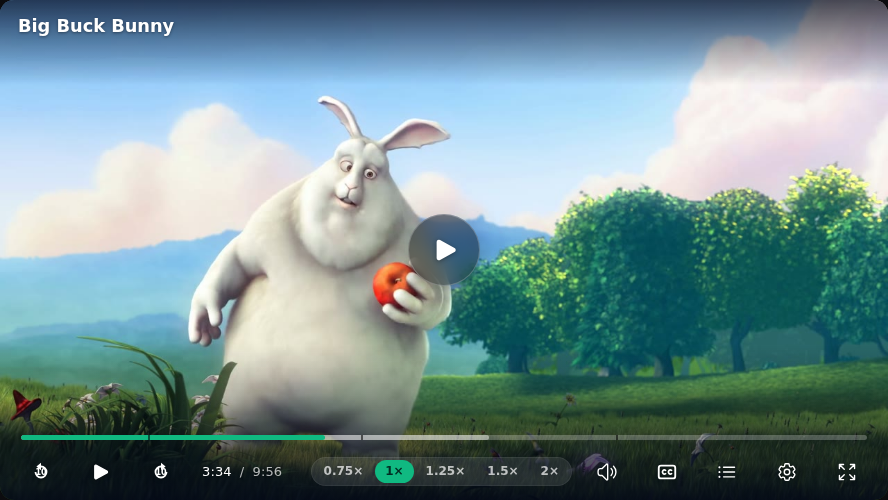 LearnFor courses: speed chips, ±10 s, chapter panel and large captions.
- 06
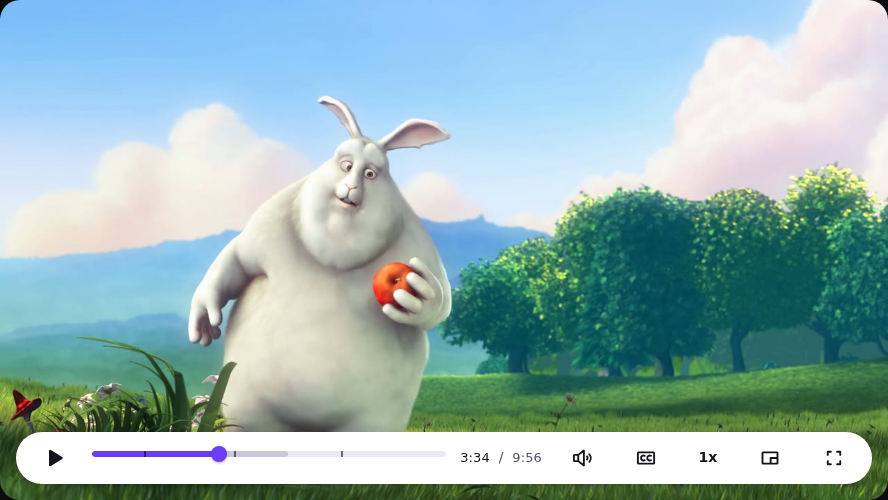 CampusPaper sticker strip, sticker captions and tap to unmute.
- 07
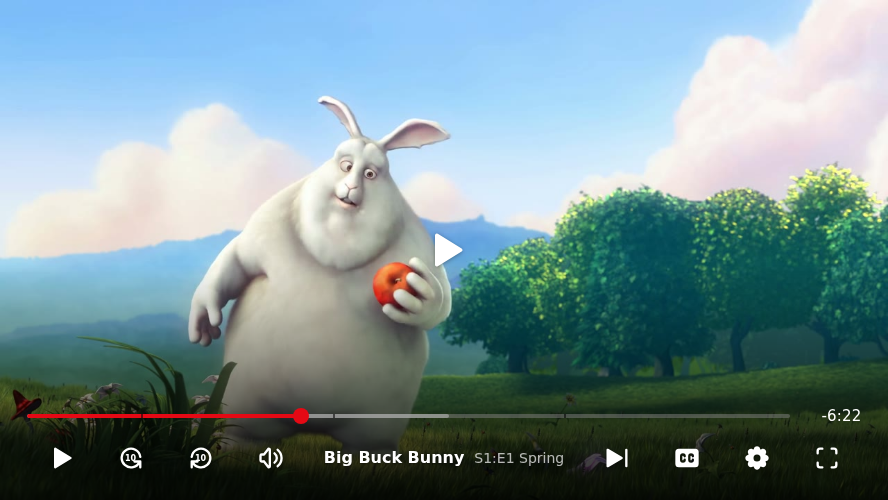 StreamUnofficialStreaming-service patterns: big icons, ±10 s, centered title, next episode.
- 08
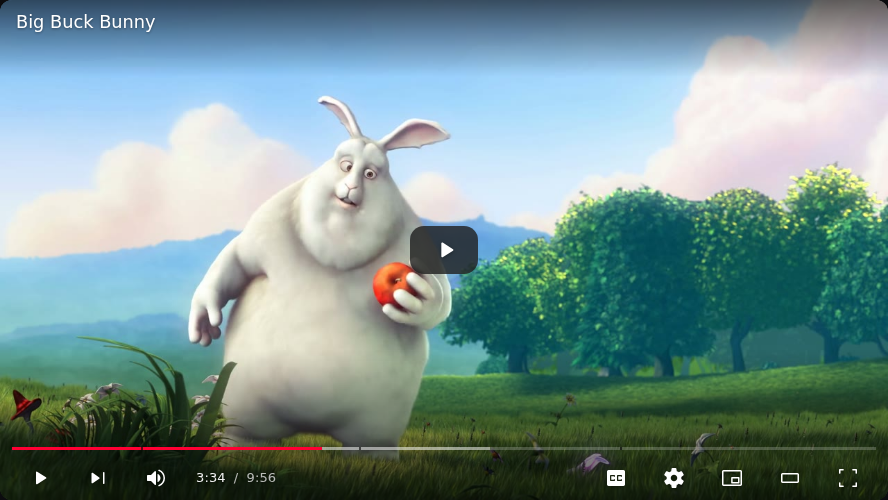 TubeUnofficialVideo-platform patterns: thin expanding progress and theater mode.
- 09
 FeedUnofficialSocial-feed patterns: muted autoplay in view, tap to unmute, compact bar.
Under every edition
Skins change the interface, never the engine. Streaming, captions and accessibility work the same in all nine, and in the one you write next.
- Core
- 5.8 KB gzip, zero dependencies, SSR-safe.
- Streaming
- HLS through hls.js (native on Safari) and DASH through dash.js, both loaded only when a stream needs them.
- Captions
- WebVTT in any language, a styled caption layer, chapters on the seek bar.
- Access
- Labelled buttons and sliders, visible focus, keyboard shortcuts, reduced motion respected.
- Frameworks
- React, Vue and Svelte bindings, a <tomato-player> element and a one-file CDN build.
- Plugins
- 8 official, from analytics and playlists to Media Session.
- Packages
- 25 on one version, MIT licensed. The all-in-one build is 43 KB.
Drop it into your stack
Thin bindings over one engine. The core never touches window at import, so Next.js, Nuxt and SvelteKit render it on the server without guards.
main.ts — ts
Edition 10 is yours
Start by changing tokens on a skin you like. When you need a different layout, build a skin from the same UI primitives the official ones use and publish it as a package.
player.ts — ts
Plugins
All plugins- HotkeysKeyboard shortcuts with familiar defaults, fully remappable.
- GesturesDouble-tap to seek on touch, with visual feedback.
- ChaptersChapters from an array or WebVTT, with seek-bar markers.
- ThumbnailsSeek-bar preview thumbnails from WebVTT sprite sheets.
- PlaylistNext and previous, auto-advance and loop.
- AnalyticsVendor-neutral QoE events: startup time, quartiles, rebuffering, watch time.
- Media SessionLock-screen controls, artwork and hardware media keys.
- PersistRemember volume, speed, captions and resume position.
Live demos
All demos- HLS adaptive streamingAdaptive bitrate HLS with a quality menu, powered by a lazy-loaded hls.js.
- MPEG-DASH streamingDASH playback with dash.js, loaded only when a .mpd source plays.
- Multi-language captionsWebVTT captions in two languages with a captions menu and styled cues.
- ChaptersWebVTT chapters with seek-bar markers and a live chapter list.
- PlaylistThree items with next, previous and auto-advance, driven by the plugin API.
- Analytics eventsWatch QoE events stream in: startup time, quartiles, seeks and heartbeats.
- Keyboard and gesturesEvery shortcut, plus double-tap seeking on touch screens.
- Theming with tokensChange accent, radius and control size live through CSS design tokens.
Questions
Anything else is in the docs or on GitHub issues.
- What is Tomato Player?
- Tomato Player is a free, open-source (MIT) web video player. Its core is under 6 KB gzipped, 9 swappable skins, plugins for chapters, playlists, analytics and more, HLS and DASH streaming, and bindings for React, Vue and Svelte.
- Is Tomato Player a good Video.js or Plyr alternative?
- Yes, if you want a smaller core and full control of the UI. Tomato Player keeps the engine separate from the skin, so you can switch the whole interface at runtime, ship only the plugins you use and theme everything with CSS tokens.
- Does it support HLS and DASH?
- Yes. The HLS provider uses hls.js and falls back to native HLS on Safari and iOS. The DASH provider uses dash.js. Both engines load lazily, only when a stream of that type plays.
- Can I use it with React, Next.js, Vue, Nuxt or Svelte?
- Yes. There are official bindings for React, Vue and Svelte. The core is SSR-safe, so it works in Next.js, Nuxt and SvelteKit. There is also a <tomato-player> web component and a CDN build for plain HTML.
- Is it accessible?
- Every control is a real button or slider with a label, keyboard focus stays visible, controls stay shown while focus is inside the player, and captions and keyboard shortcuts are built in. The accessibility guide lists what is covered.
- How do I make my own skin?
- Run pnpm new skin my-skin to scaffold one, compose it from the @tomato-player/ui primitives and publish it to npm. The create-a-skin guide walks through it step by step.
Ship a player that looks like your product.
Free and MIT licensed. Read the docs, star the repo, or start edition 10.
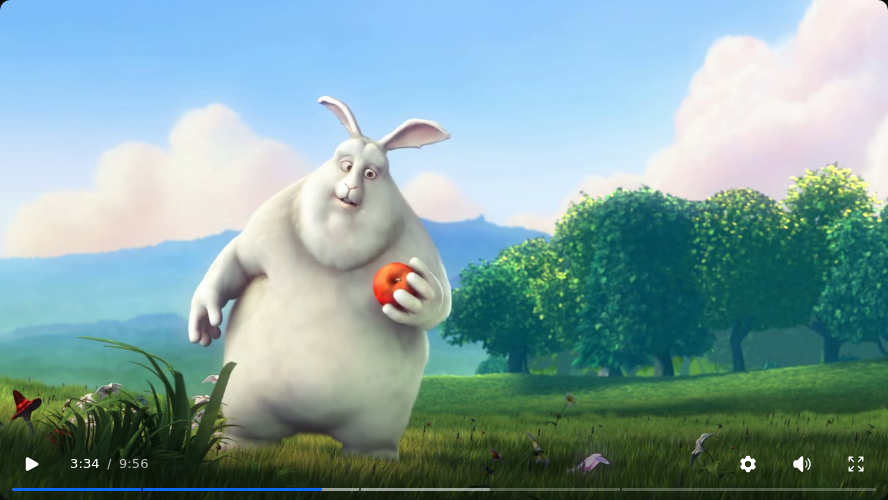
Big Buck Bunny © Blender Foundation, CC BY 3.0, via Wikimedia Commons. HLS test stream by Mux, DASH by Akamai.